Six parts, one record. Each page below says what it stores, how it is used, and what it does not do, because a feature list that only lists the good parts is not much use when you are deciding whether to bother.
Workout log
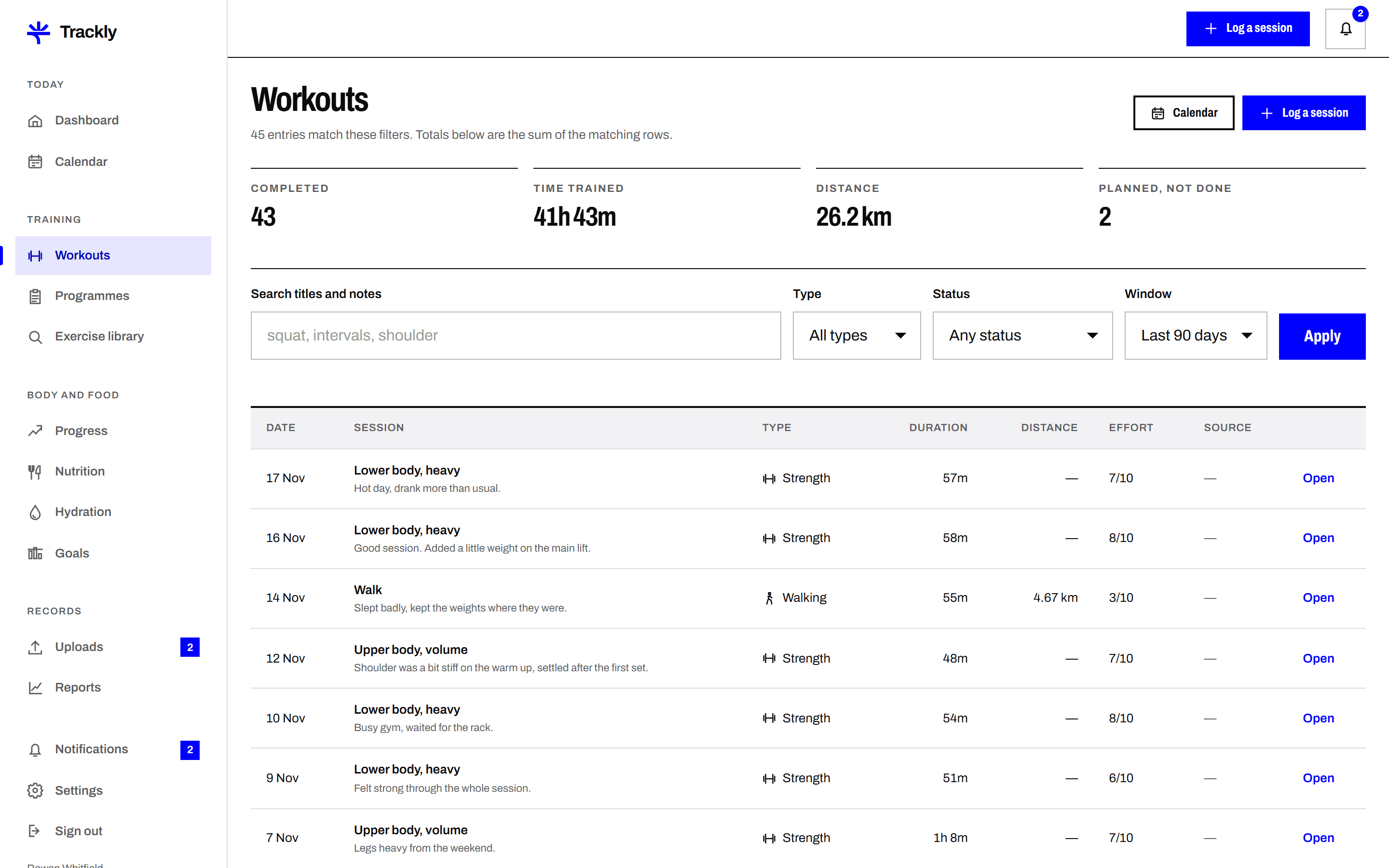
Record a training session the way you actually did it. Date, duration, exercises, sets, reps, weight, intensity and notes. Trackly keeps the detail so a session from March can be compared with the same session in September.
Sets recorded one by one
Each set is its own row with reps, weight and an optional note. Trackly does not average your sets together or ask you for a single number that stands in for the whole exercise.
Reusable routines
Save a group of exercises as a routine, reorder them, then start a session from it. The routine fills in the exercises and your last used weights, and you edit what changed on the day.
Personal bests calculated, not typed
Trackly reads your saved sets and shows your heaviest set and best recorded volume for each exercise, with the date it happened. Edit or delete the set and the figure updates with it.
Planned and completed kept apart
A session you planned for Thursday is shown as planned until you mark it done. The calendar shows both, so a week you intended is never mistaken for a week you trained.
Trackly does not connect to wearables, gym machines or other fitness apps. Every figure in a session is one you enter.
Trackly does not write training programmes, choose your weights or tell you when to progress.
Trackly does not count reps or time your rests for you. It is a log, not a trainer.
Progress and measurements
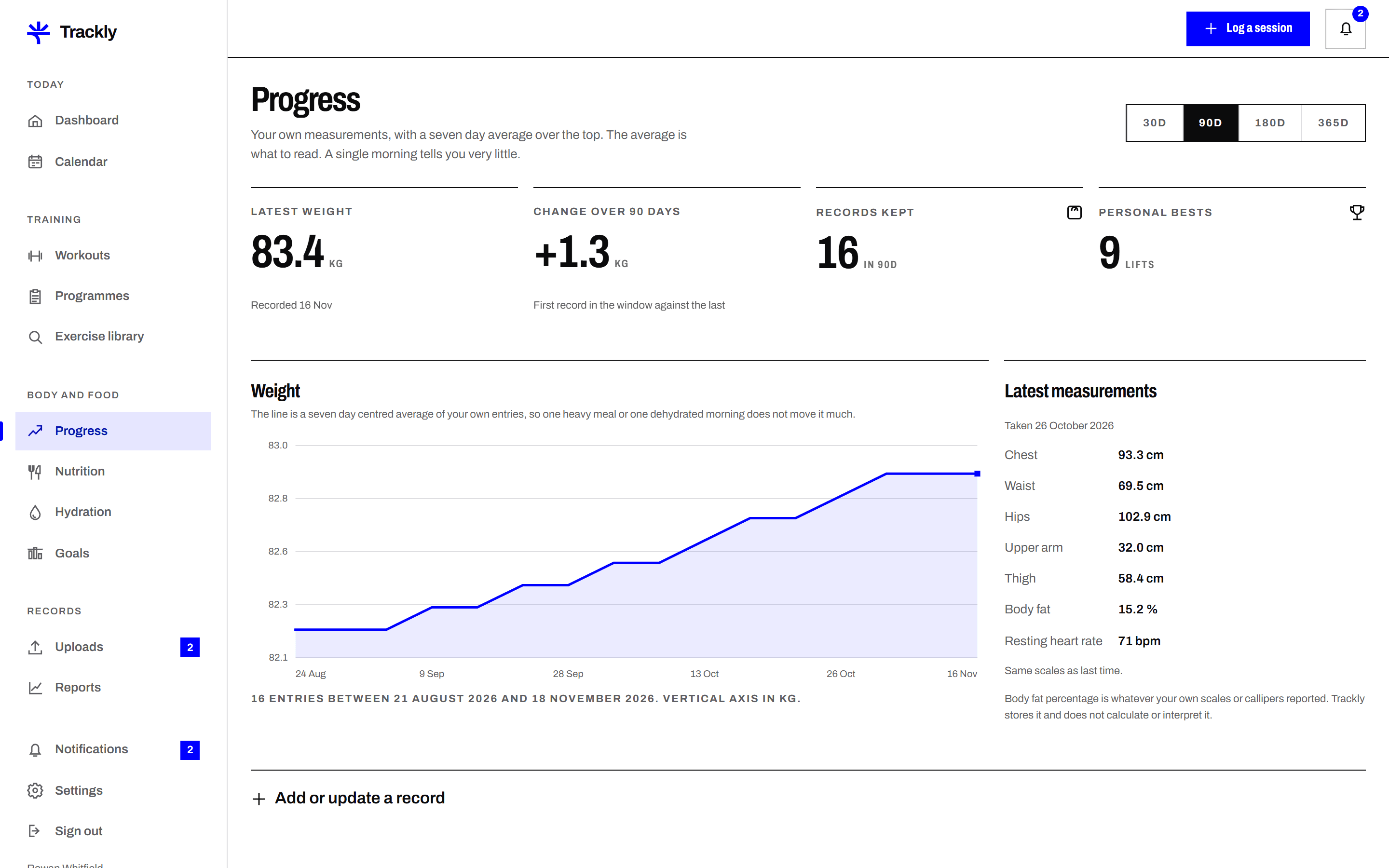
Weight, body measurements and optional progress photos, entered in your own units and plotted over time. Trackly shows the trend beside the daily figures, because a single morning reading rarely means much on its own.
Your units, stated on every chart
Choose kilograms or pounds, centimetres or inches. Every axis and every figure carries its unit, so a chart cannot be misread when you look back at it months later.
Trend line beside the daily points
Trackly draws a rolling average through your weight entries and shows it over the individual readings. The daily dots stay visible, so the smoothing is never hiding anything from you.
Measurements you choose
Record chest, waist, hips, thigh, arm and calf, or only the ones you care about. Each measurement has its own chart and its own history, and blank fields are left blank rather than guessed.
Photos private by default
Progress photos are stored privately, visible only inside your account unless you submit one for review. They are never shown on the public site and never attached to another member record.
Trackly does not read smart scales, body composition devices or health platforms. You type your figures in.
Trackly does not interpret your measurements, estimate body fat or comment on your body, and none of it is medical advice.
Trackly will not fill in gaps in your data. Missing days stay missing on the chart.
Food diary
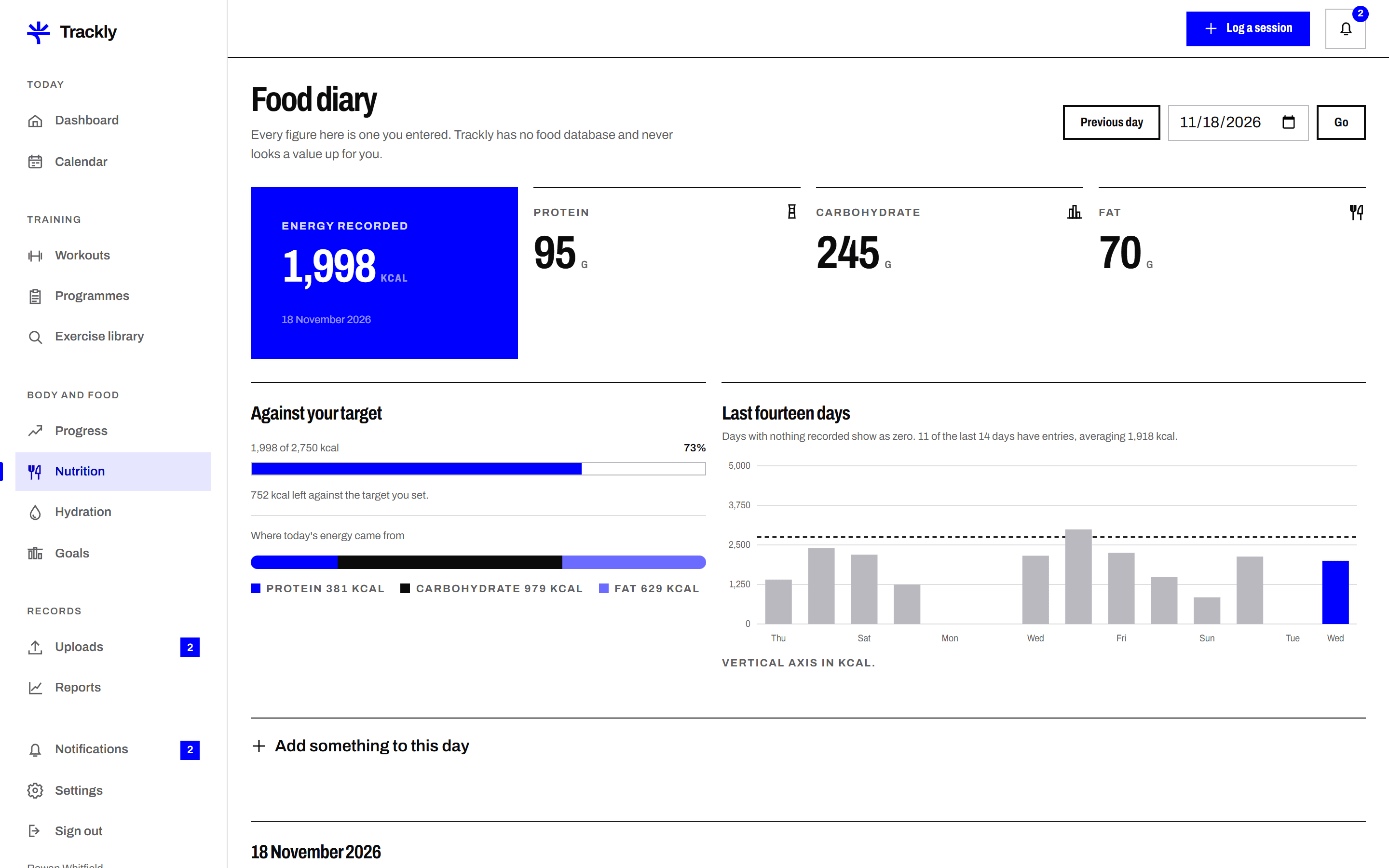
A simple diary of what you ate, with the figures you enter yourself. Add meals, set servings, record calories and macros, and read accurate daily and weekly totals built only from the rows you saved.
Foods you save and reuse
Enter a food once with its calories and macros per serving, and it joins your own food list. Next time you type two letters and set the serving count, and the figures come with it.
Meals in the order you eat them
Breakfast, lunch, dinner and snacks, each with its own entries and its own subtotal. Copy a whole meal to another day when you eat the same thing twice.
Totals you can check by hand
Day and week totals are the sum of your entries and nothing else. Open any total and Trackly lists the rows behind it, so a figure that looks wrong can be traced to the entry that caused it.
Honest gaps
A day you did not log shows as not logged rather than as zero calories. The weekly view says how many days have entries, so a partial week is never read as a complete one.
Trackly does not look foods up in an external food database and has no barcode scanner. Every calorie and macro figure is one you enter.
Trackly does not set a calorie target, recommend a diet or judge what you ate. It adds up what you tell it.
Trackly does not count micronutrients. It records calories, protein, carbohydrate and fat.
Hydration log
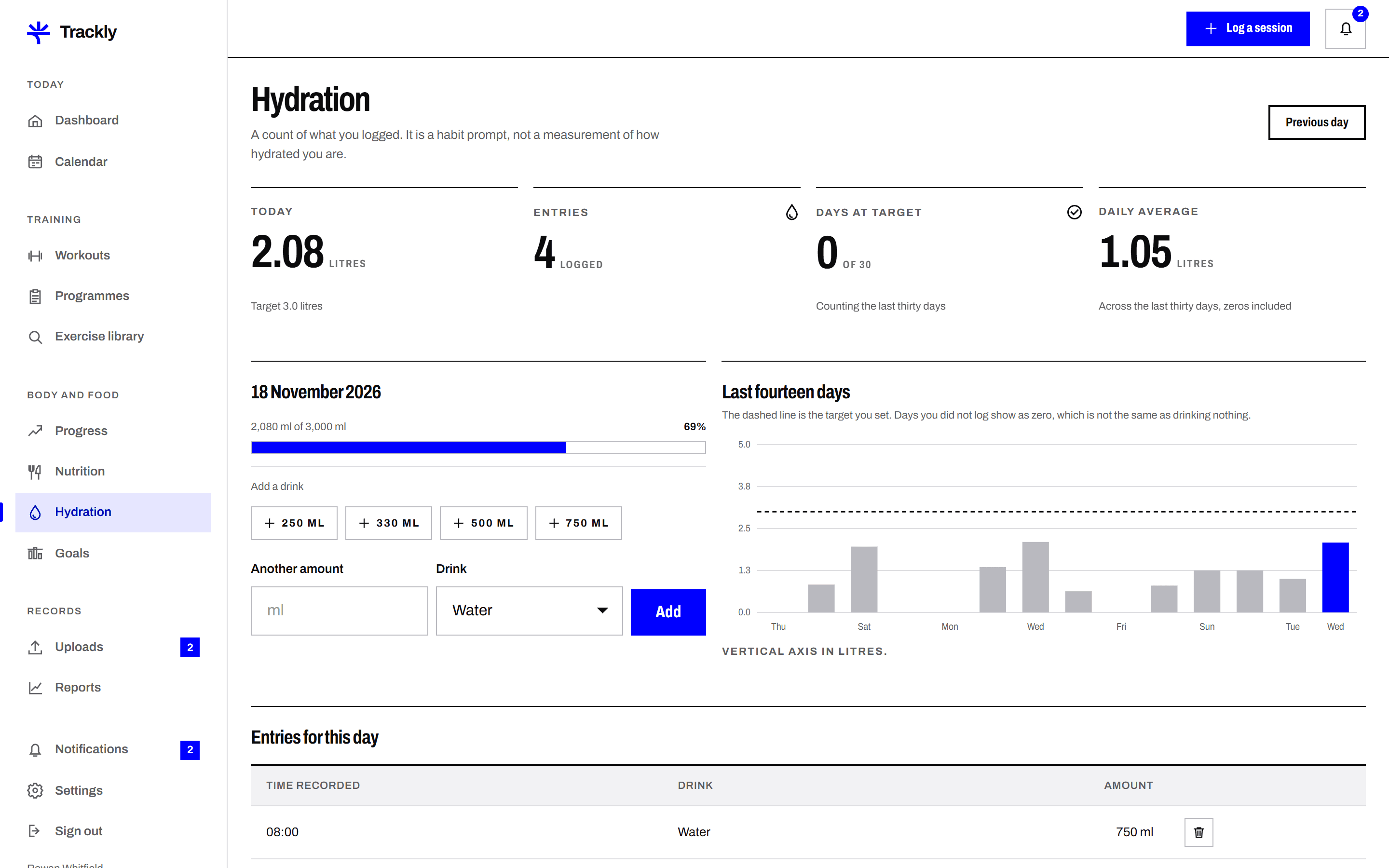
Log drinks against a daily target you set yourself. Trackly shows today against that target, the last seven days as a simple chart, and how consistently you have been logging at all.
A target you choose
You set the daily figure in millilitres or fluid ounces. Trackly does not calculate a target from your weight or the weather, because it has no sound basis on which to do that.
Quick amounts and custom entries
Tap a saved amount such as a 500 ml bottle or a 250 ml glass, or type an exact figure. Each entry is time stamped in your own time zone.
Today, the week and the streak
The dashboard card shows today against target, a seven day bar chart, and a count of consecutive days with at least one entry. Editing or deleting an entry recalculates all three.
Plainly labelled
The hydration card says what the figure is, which is the amount you recorded. It is not a measure of how hydrated you are, and the page says so where a reader will see it.
Trackly does not measure hydration. It records the volume of drinks you enter, which is not the same thing.
Trackly does not recommend how much you should drink and sets no target on your behalf.
Trackly has no connection to bottles, trackers or reminders from other apps. Entries are manual.
Goals
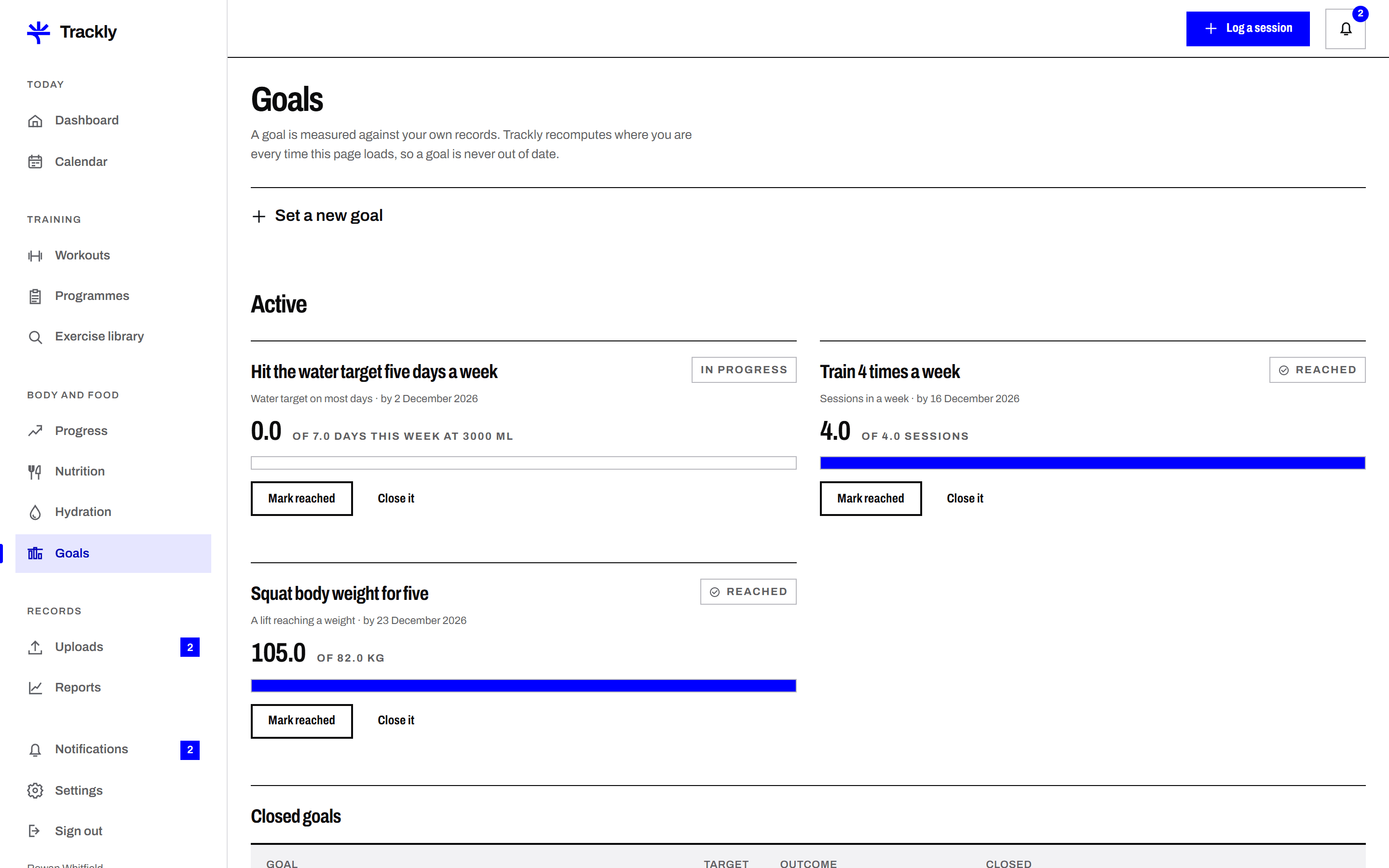
Set a goal with a figure and a date, then let Trackly measure it from the records you were keeping anyway. A goal with no measurable figure cannot be saved, which is the point of it.
A number and a date, always
Every goal needs a target figure and a target date. Four sessions a week by the end of March is a goal Trackly can measure. Getting fitter is not, so Trackly will not accept it.
Measured from your own records
Trackly reads your saved workouts, weights, nutrition days or hydration entries, depending on the goal type, and shows progress as a figure and a bar. There is nothing extra to update.
Honest status
A goal is shown as on track, behind or reached, based on the time elapsed and the progress recorded. Behind is stated plainly rather than softened, and no goal is marked reached early.
Kept after it ends
Finished goals move to a history list with their final figure and date, whether they were reached or not. You can reopen one with a new date rather than starting again from nothing.
Trackly does not set goals for you or suggest what a sensible target would be, because it knows nothing about your circumstances.
Trackly does not accept a goal without a measurable figure and a date.
Trackly does not promise an outcome. It reports progress against a figure you chose, and nothing in it is medical or dietary advice.
Reviewed uploads
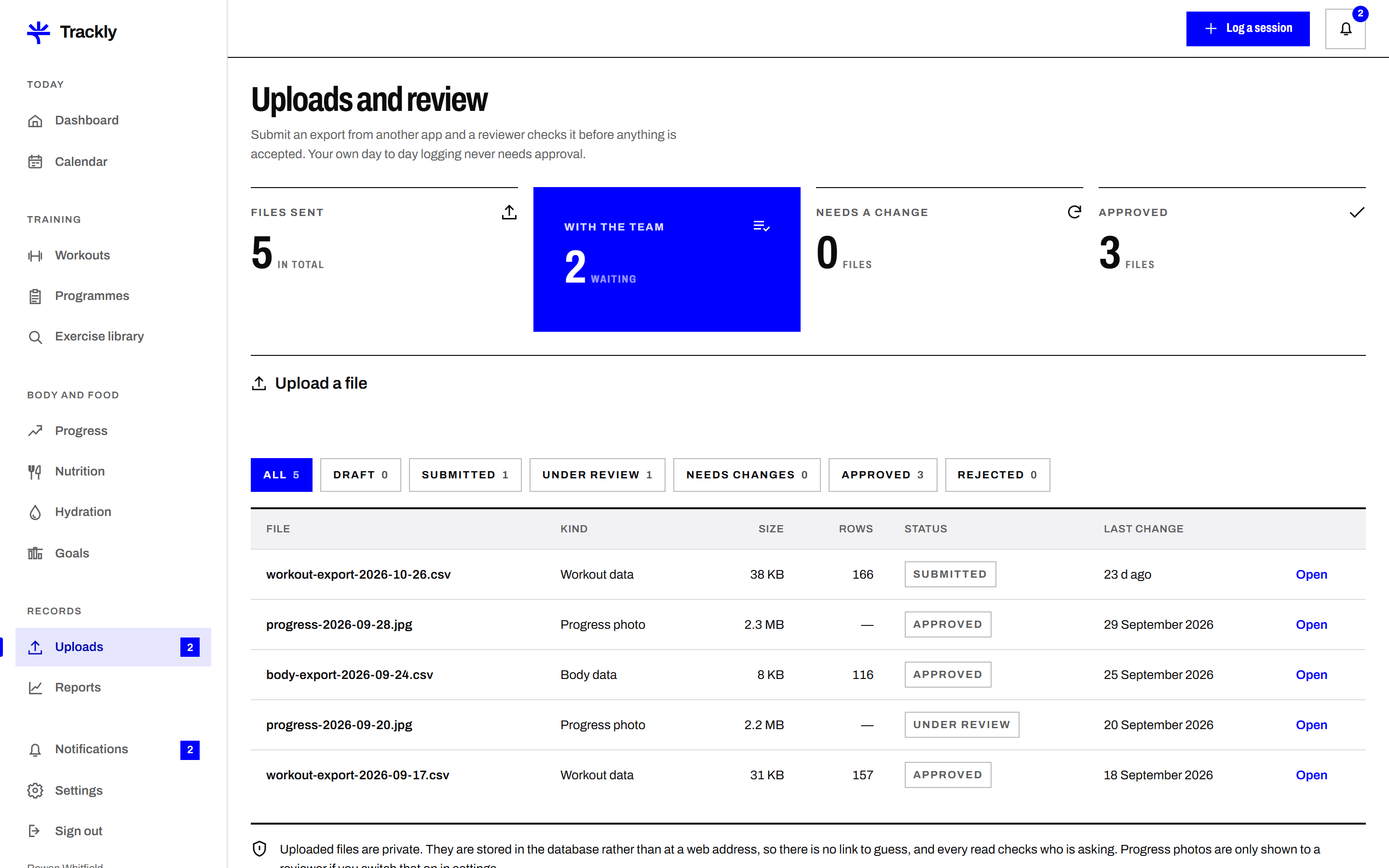
Submit a CSV, a JSON export or a progress photo, and have a reviewer on the Trackly team check it. The status is visible at every stage, and a rejected file always comes back with a written reason.
A preview before you submit
Trackly reads your file and shows the first rows, the columns it recognised and anything it could not parse. You can fix the file and try again before a reviewer ever sees it.
A status you can see
Every upload moves through draft, submitted, under review, then approved, rejected or needs changes. The date of each change is recorded, so there is never any doubt about where a file is sitting.
Reviewer comments in writing
Approve, reject and needs changes all carry a comment from the reviewer. Needs changes keeps the record open so you can upload a corrected file against the same submission rather than starting a new one.
Duplicates flagged, not silently merged
If rows in your file match entries you already have, Trackly lists them and asks what you want to do. It will not quietly add a second copy of a session you already logged.
Trackly does not pull data from other services. You export the file yourself and upload it.
Review is a check that the file is readable and consistent. It is not an assessment of your training and not a verification that the figures are true.
Review is only for files you choose to submit. Your ordinary logging needs no approval and appears immediately.
Start with one week
Create an account, log a few sessions and see what the charts look like with your own figures in them. You can export everything or delete your account whenever you want.