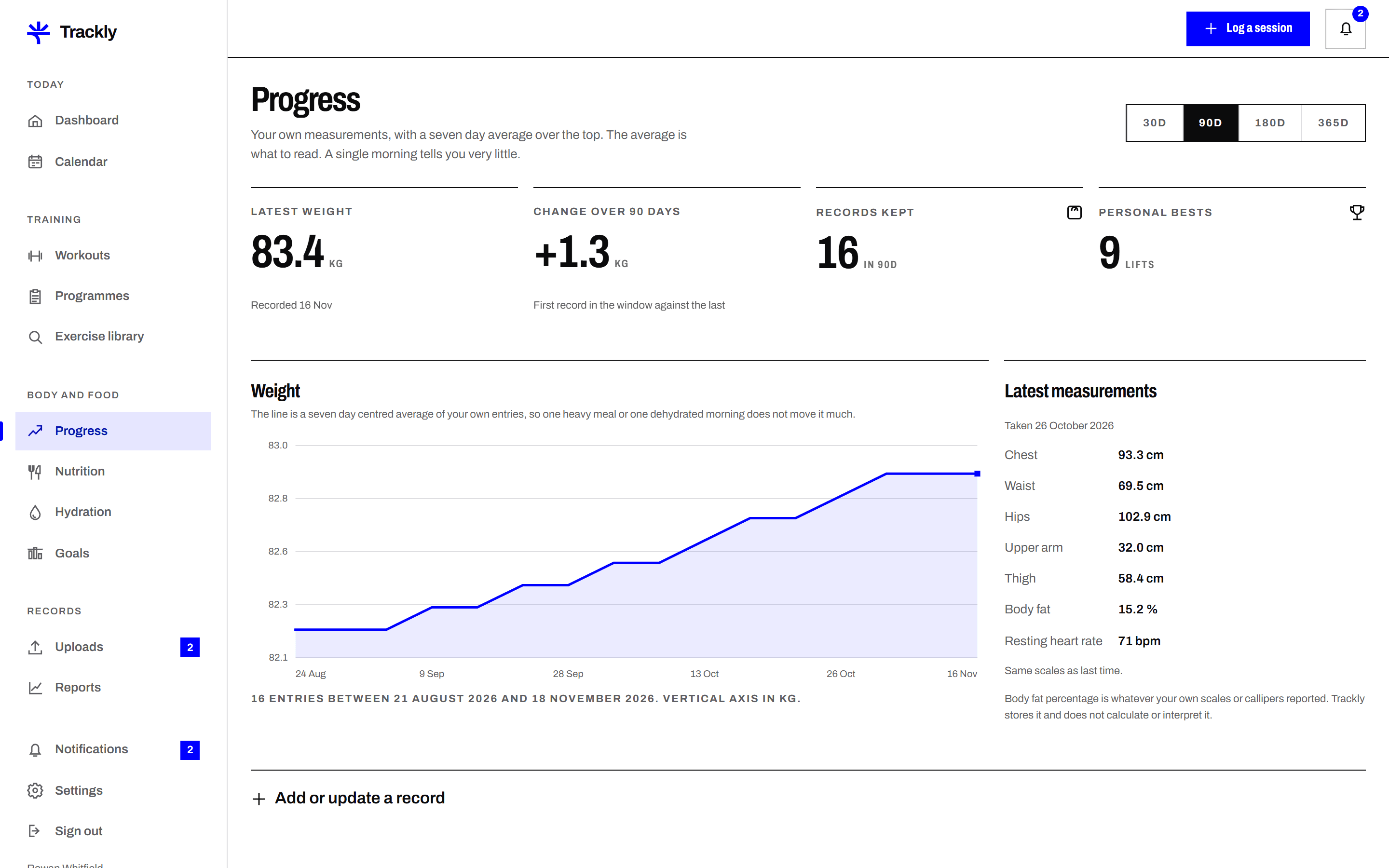
Your units, stated on every chart
Choose kilograms or pounds, centimetres or inches. Every axis and every figure carries its unit, so a chart cannot be misread when you look back at it months later.
Weight, body measurements and optional progress photos, entered in your own units and plotted over time. Trackly shows the trend beside the daily figures, because a single morning reading rarely means much on its own.
Choose kilograms or pounds, centimetres or inches. Every axis and every figure carries its unit, so a chart cannot be misread when you look back at it months later.
Trackly draws a rolling average through your weight entries and shows it over the individual readings. The daily dots stay visible, so the smoothing is never hiding anything from you.
Record chest, waist, hips, thigh, arm and calf, or only the ones you care about. Each measurement has its own chart and its own history, and blank fields are left blank rather than guessed.
Progress photos are stored privately, visible only inside your account unless you submit one for review. They are never shown on the public site and never attached to another member record.
Pick your weight and length units in Settings. Trackly stores every entry in those units and labels them on screen and in exports.
Enter a weight, a set of measurements or a photo with the date it was taken. Back dating is allowed, so a missed morning can be filled in correctly.
Switch the window to 7, 30 or 90 days. The chart redraws from your saved entries and states the range it is showing.
Next
A simple diary of what you ate, with the figures you enter yourself. Add meals, set servings, record calories and macros, and read accurate