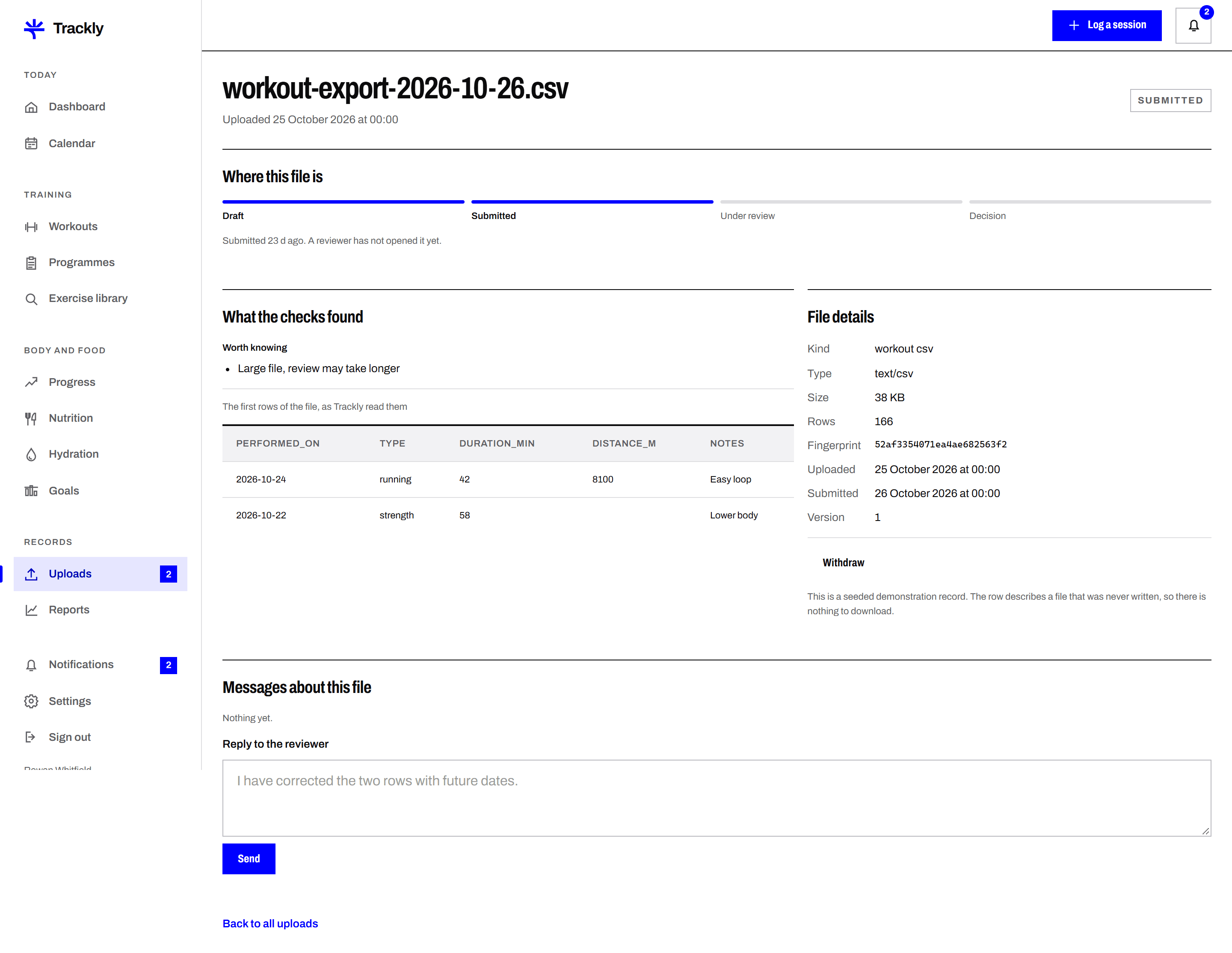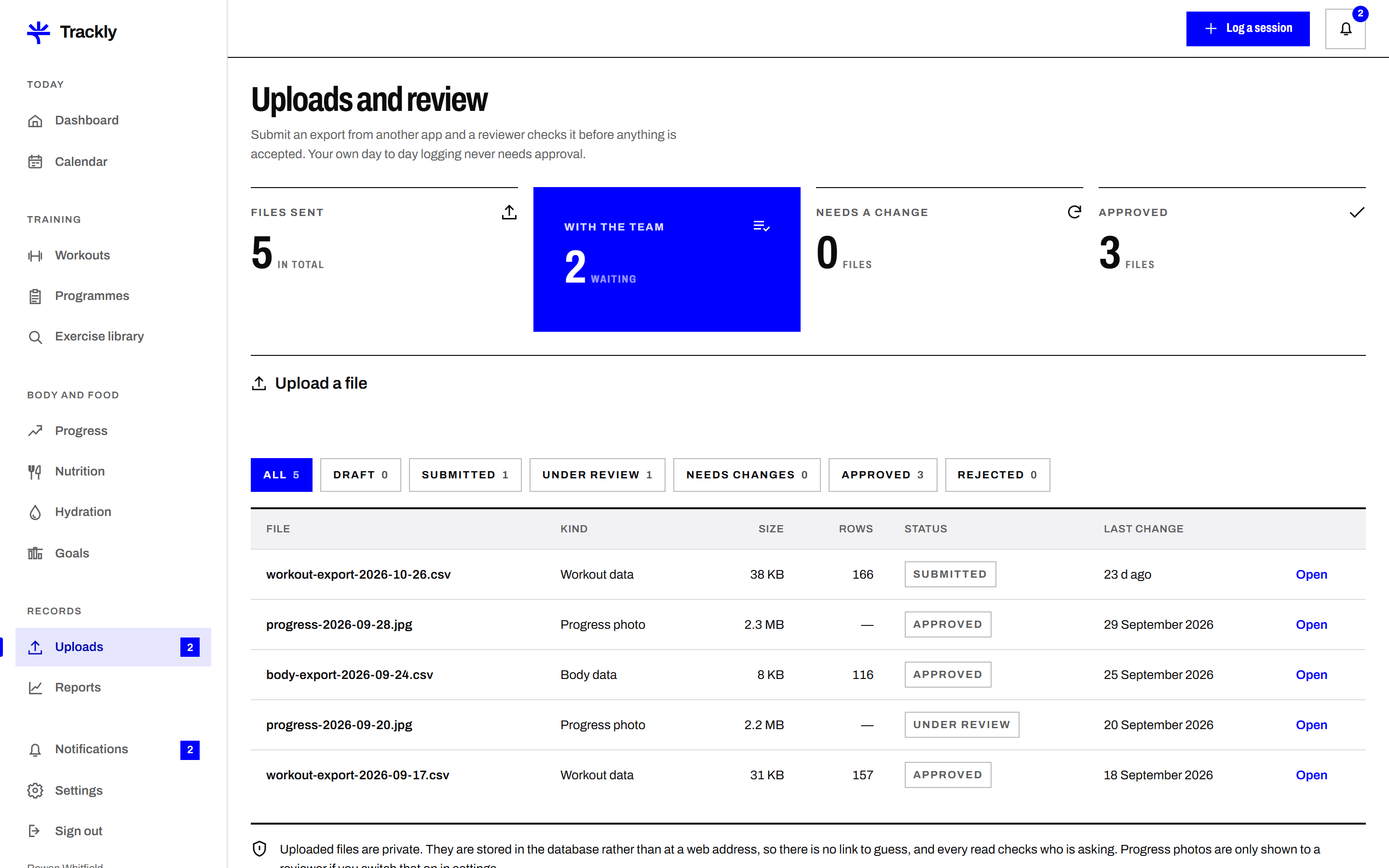
A preview before you submit
Trackly reads your file and shows the first rows, the columns it recognised and anything it could not parse. You can fix the file and try again before a reviewer ever sees it.
Submit a CSV, a JSON export or a progress photo, and have a reviewer on the Trackly team check it. The status is visible at every stage, and a rejected file always comes back with a written reason.
Trackly reads your file and shows the first rows, the columns it recognised and anything it could not parse. You can fix the file and try again before a reviewer ever sees it.
Every upload moves through draft, submitted, under review, then approved, rejected or needs changes. The date of each change is recorded, so there is never any doubt about where a file is sitting.
Approve, reject and needs changes all carry a comment from the reviewer. Needs changes keeps the record open so you can upload a corrected file against the same submission rather than starting a new one.
If rows in your file match entries you already have, Trackly lists them and asks what you want to do. It will not quietly add a second copy of a session you already logged.
Upload a CSV, a JSON file or an image within the stated size limit. Read the preview and the validation notes before going further.
Add a short comment saying what the file is and where it came from, then submit. You get an email confirming it reached the queue.
A reviewer checks the file and records a decision with a comment. You get an email and a notice in the application, and you can resubmit if changes are needed.
Next
Record a training session the way you actually did it. Date, duration, exercises, sets, reps, weight, intensity and notes. Trackly keeps the